What is a Mesh Wi-Fi System?
A Mesh Wi-Fi system consists of a main wifi router that connects directly to your modem, and a series of satellite modules, or nodes, placed around your house for full Wi-Fi coverage. Unlike traditional wifi routers that broadcast Wi-Fi from a single point, Mesh nodes work together to create a single, unified network (hence the term "mesh").
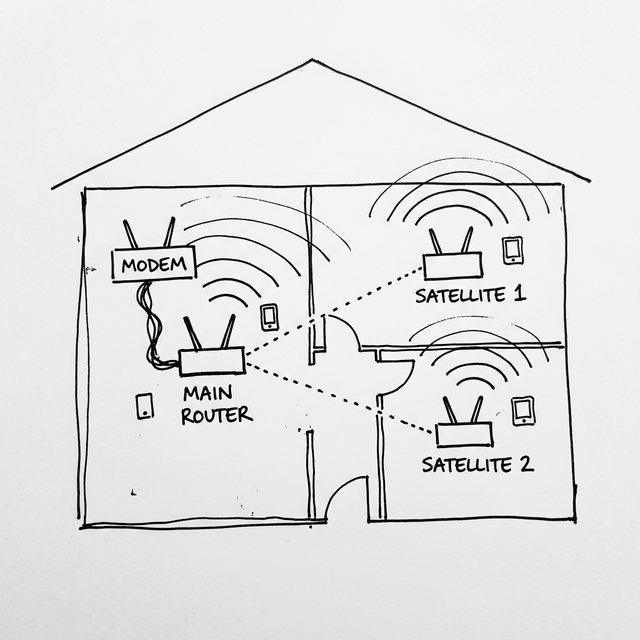
Are satellite nodes different from regular wifi routers? Do I need to buy them separately? Yes, there is a difference. Normal wifi routers are standalone devices meant to be the center of a network. Mesh nodes are designed specifically to act as part of a hive mind. They lack some of the advanced routing features of a main wifi router but excel at managing seamless handoffs and wireless backhaul. Typically, you buy them in kits (2-pack or 3-pack), though many brands now allow you to buy individual add-on nodes or even mix-and-match their standard wifi routers using technologies like ASUS AiMesh or TP-Link OneMesh.
What Problems Does a Mesh WiFi Router Solve?
- Wi-Fi Dead Zones: Traditional wifi routers struggle to push signals through multiple thick walls or across large homes. Mesh nodes can be placed strategically to eliminate these dead spots.
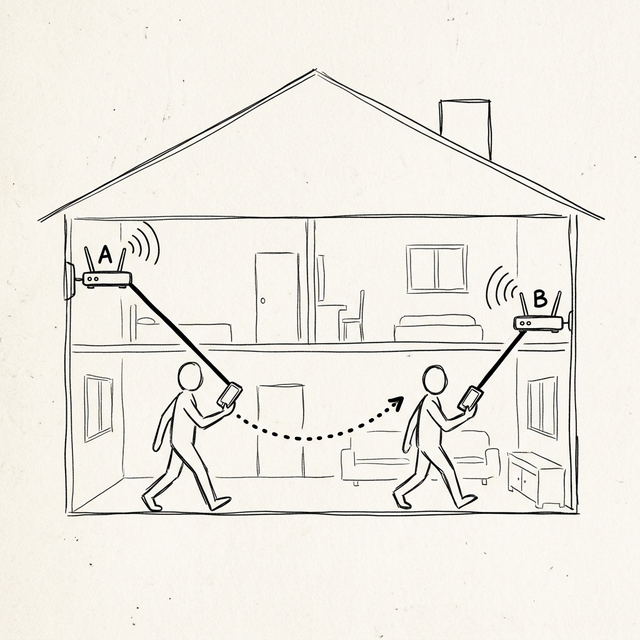
- Seamless Roaming: With traditional Wi-Fi extenders, you often have to manually switch networks (e.g., from "MyWiFi" to "MyWiFi_EXT") as you move around. A Mesh system uses a single network name (SSID) and password, automatically switching your device to the node with the strongest signal without dropping your connection.
- Network Congestion: Modern Mesh systems are designed to handle many connected devices simultaneously, distributing the load intelligently across different nodes.
- Complex Setup: Most Wi-Fi extenders require a confusing setup process. Mesh systems are designed for regular consumers and usually come with a very user-friendly smartphone app for setup and management.
The "Mesh Magic": Why It's Better Than Extenders or APs
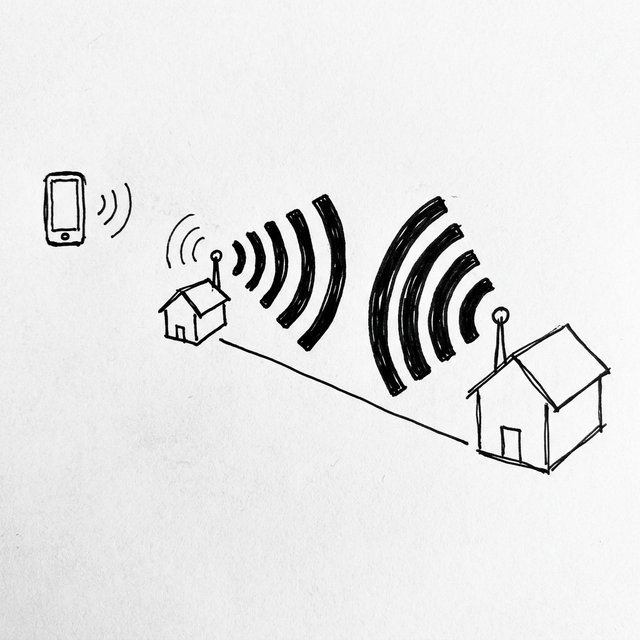
If the satellite nodes connect to the main wifi router wirelessly, why is the signal better than connecting directly to the main wifi router? While a direct connection is always best if you are close, devices like smartphones have weak internal antennas and struggle to send signals back to a distant main router. Mesh nodes have massive, high-power antennas and dedicated wireless bands (in Tri-band systems) specifically for communicating with each other. By connecting to a nearby node, your phone gets a strong, fast connection, and the node handles the heavy lifting of blasting that data back to the main router.
If I already have Ethernet cables pre-wired in my house, why not just use the ISP wifi router and add access points? Using your ISP wifi router with traditional Access Points (APs) or wifi routers in "AP Mode" is a viable option, but you lose the "Mesh Magic." Traditional setups lack intelligent, seamless roaming; your phone might stubbornly stay connected to a distant AP with 1 bar of signal even when standing next to a closer one. A Mesh network uses protocols (like 802.11k/v/r) to actively manage your devices, forcing them to seamlessly switch to the best node without you noticing any interruption. Plus, managing a single Mesh system through one app is much easier than managing multiple separate APs.
How to Use and Set Up a Mesh System
Setting up a Mesh system is typically straightforward:
- Connect the Main Node: Connect the primary Mesh wifi router to your ISP's modem using an Ethernet cable, and plug it into power.
- Download the App: Download the manufacturer's official companion app (e.g., Deco app for TP-Link, ASUS WiFi Router app, or eero app) on your smartphone.
- Follow the Setup Wizard: Open the app and follow the on-screen instructions to create your main network.
- Position the Satellite Nodes: Once the main node is online, place the additional nodes halfway between the main wifi router and your dead zones. They need to be close enough to the main wifi router to get a strong signal to repeat.
- Power On and Pair: Plug in the satellite nodes one by one. Use the app to add them to your existing network. They will usually configure themselves within minutes.
Pro Tip: If your house is pre-wired with Ethernet cables, connect your Mesh nodes using Ethernet (called "Ethernet Backhaul"). The connection method is simple: plug an Ethernet cable into a LAN port on your main wifi router, and connect the other end to your satellite node. Which port on the satellite node should you use?
- If your satellite node has Auto-Sensing Ports (often labeled WAN/LAN or with just numbers like 1, 2, 3), you can plug it into ANY port. The wifi router will automatically detect the connection.
- If your satellite node has clearly separated and labeled WAN and LAN ports, you must plug the cable into the WAN port of the satellite node. Compared to wireless communication, this provides a much more stable, gigabit-speed connection with zero signal loss!